🤖 Agent Prompt
See what’s new Toolkit for Steamworks. Available now via our own storefront and on the Unity Asset Store.
Not seeing your engine listed? <– Look to your left, change the current engine. This web site adjusts what it displays based on your Engine and Version Selections.

Networking: SteamNetworkingSocketsHelper and multiplayer demos
Foundation for Steamworks 1.64.29 adds SteamNetworkingSocketsHelper, a small engine-agnostic layer over Steam Networking Sockets. It works in plain byte arrays and integer connection ids, so a transport for any networking library is a thin adapter on top of it, and it chooses between the Steam client interface and the Steam Game Server interface for each operation. Foundation includes a SteamNetworkingSockets (PurrNet) transport sample built on it.
Toolkit for Steamworks 6.1.14 builds on that with a playable Demo Game (PurrNet) sample: create or join a Steam lobby, pick a colour, start a session and play together, with documentation for every networking layer. A FishNet version is in testing now and more demos are coming to the Toolkit for Unity.
Foundation + Toolkit
We have expanded all of our tools, including Steamworks, to include a free and open-source layer. Please note that this change will affect the DataLayer of Toolkit for Steamworks.
If you notice that certain fields and functions appear to be missing, don’t worry—they are still available but have been moved to “Extension” classes. For example, combining LobbyData + LobbyDataExtension will give you all the functionality you had previously.
This restructuring happens because LobbyData and all core data structures are moving to Foundation, while our advanced tools and more complex functionalities remain exclusive to the Toolkit.
Foundation for Steamworks is now the literal foundation of the Toolkit for Steamworks meaning it is now a core dependency that will be automatically installed if missing.
In prior versions, Foundation was treated as a standalone “lite” version (essentially a copy of the Toolkit with fewer features). Moving forward, we are adopting a modular approach: the Foundation package contains all core data structures and basic functionality, while our specialized Toolkits are built directly on top of it.
💡 In short: Foundation handles the core architecture, while advanced tools are reserved for the Toolkit. You can read a full breakdown of what each package offers on the Welcome page of our Knowledge Base.
Toolkit for Steamworks
All of our Toolkits have received a major upgrade as we expand both our feature sets and the engines we support. Alongside a healthy raft of bug fixes and performance improvements, we have officially integrated our Game Framework tool with Steamworks.
The Game Framework introduces a standardized architecture for core concepts like Subsystems and System Settings, drastically improving interoperability across our growing ecosystem of tools.
Game Framework
With Toolkit 5.3.26 we have migrated Steamworks to the Heathen Game Framework making Steamworks a “Subsystem”. This has a number of effects on the tool:
- Initialise Steamworks is no longer required, Subsystems initialise them selves by default. If you prefer to manually trigger initialisation that is still an option.
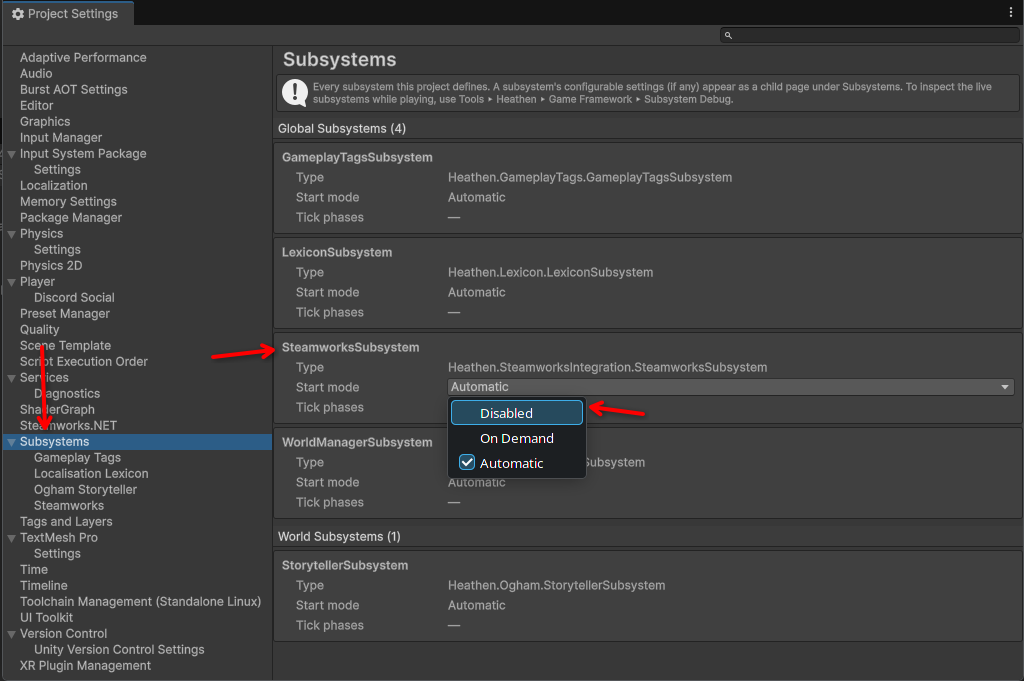
- Steam Settings Object is gone, well its not actually gone its just moved but its no longer a thing you will see in your Asset folder. Subsystems manage their settings as JSON objects in the Unity ProjectSettings directly
- Improved UX, Subsystem’s display settings under the Subsystems tab in the Project Settings.
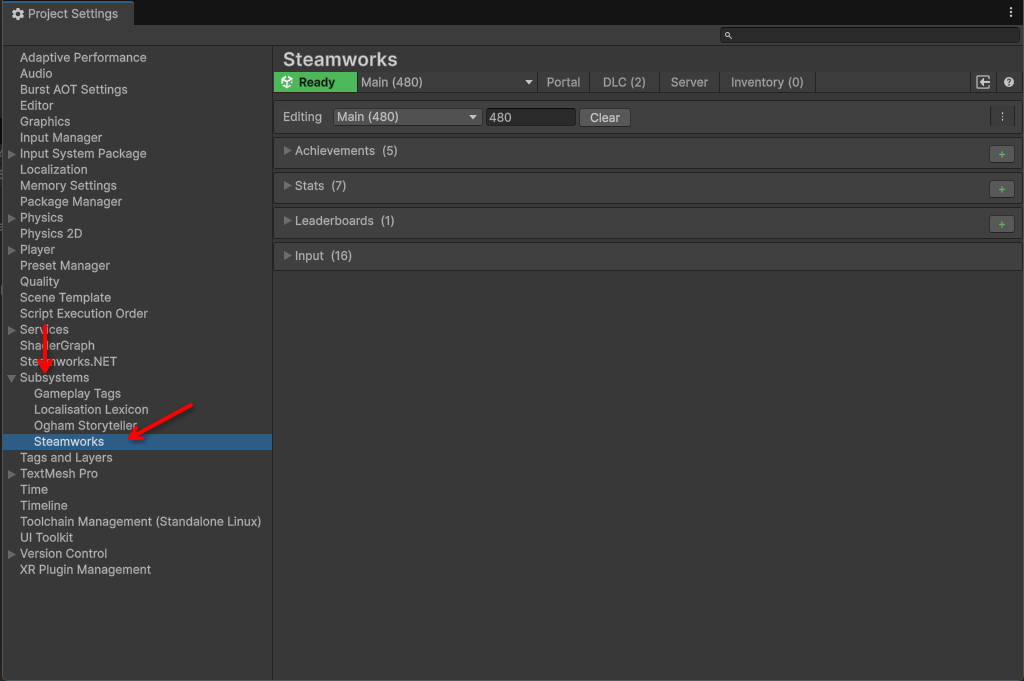
- Build Guard, Subsystems understand the status of the configurations and give you several clues when you project needs a rebuild.
First in the settings the build button will change colors and label based on status.

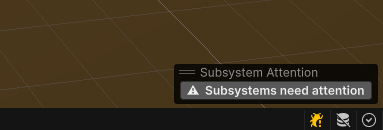
Next in your Scene view a tool will let you know that a Subsystem needs attention … you can click this to open the Subsystems setting and see who has an issue

Clicking the Build button will cause it to rebuild for you.
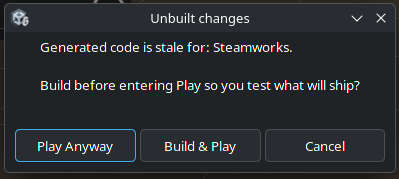
Finally if you ignore all of that and press Play anyway a message will popup letting you know that you have some unbuilt changes and offer to build them before going into play.