🤖 Agent Prompt

As with all Heathen tools Gameplay Tags is available for multiple engines:



Install Foundation #
Both Foundation and Toolkit resolve their own dependencies automatically through Heathen Toolbox — if Toolbox isn’t already in your project, either package will prompt you to install it once, and Toolbox takes care of the rest. You only need the manual Git URL install below if you’re not using Toolbox at all.
Install the GameplayTags Foundation via Unity Package Manager’s “Add from Git URL:
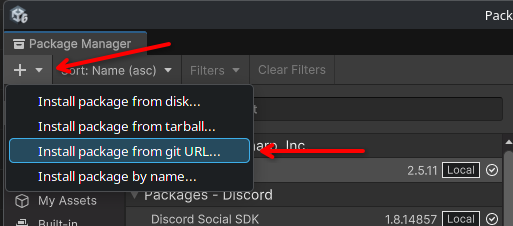
And provide the following URL:
https://codeberg.org/Heathen-Engineering/Unity-GameplayTags-Foundation.git?path=/com.heathen.gameplaytagsfoundationLearn more at:
https://codeberg.org/Heathen-Engineering/Unity-GameplayTags-Foundation
You can add our Gems repository to your O3DE install making it easy to quickly install all of our free Gems from the O3DE Project Manager. See more about that here.
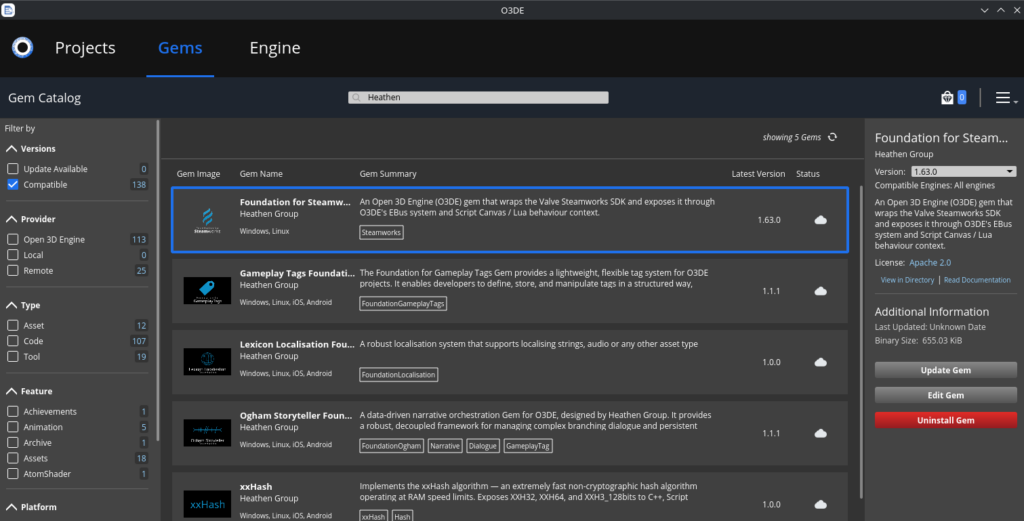
If you prefer a manual install simply clone the repository and add the Gem to your project directly.
https://codeberg.org/Heathen-Engineering/O3DE-GameplayTags-Foundation
O3DE gives you a few ways you can add a Gem, either by adding the Gem source to your project manager and enabling it at the project level or by copying the Gem into the project its self.
xxHash is a requirement for Foundation.
To install you can either build from source, or grab the latest release (recommended), from:
Foundation for xxHash:
GameplayTags Foundation:
When installing from Codeberg you’re looking for the top most .zip, this is a pre-built GDExtension you can drop into your game project.
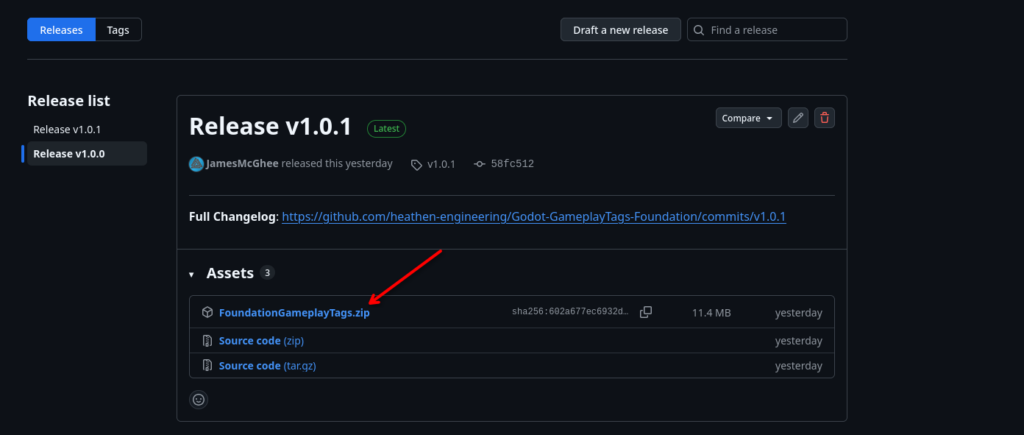
Alternatively you can use the Godot Asset Store which will serve the same pre-built GDExtension.
Install Toolkit #
Gamplay Tags Toolkit is not currently available on Unity Asset Store. It is expected to release on the Unity Asset Store by November 2026.
Unity users can Get Access Now to license and install Gamplay Tags Toolkit for Unity.
For customers with Forgejo (git) access, installing from the git repository is the preferred and recommended method of install.
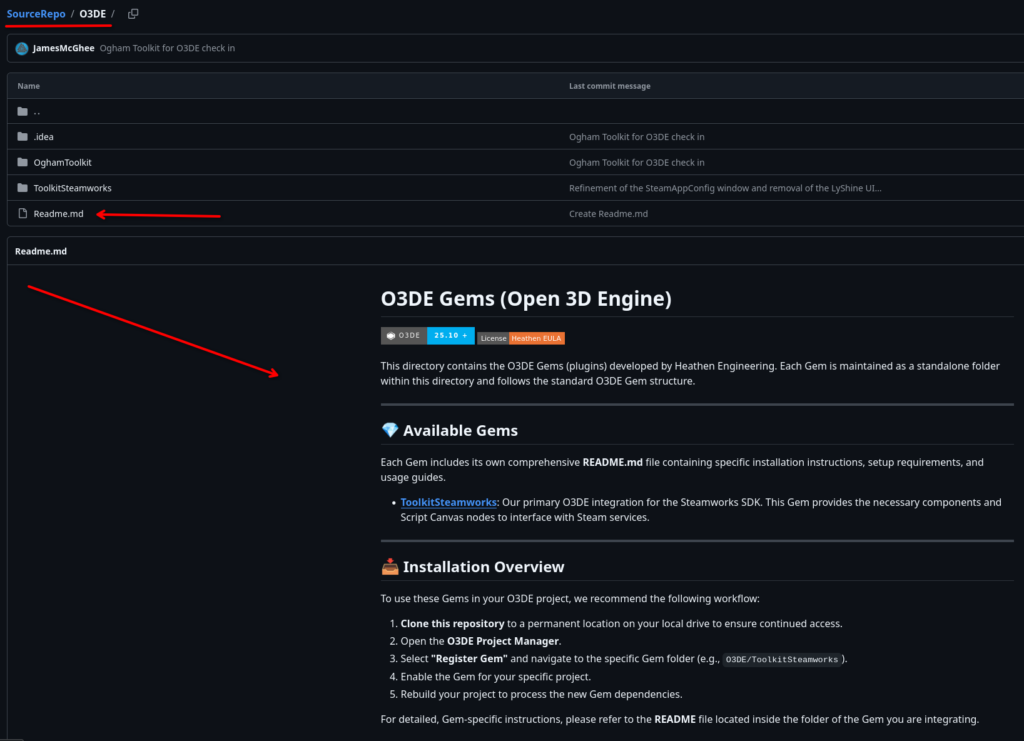
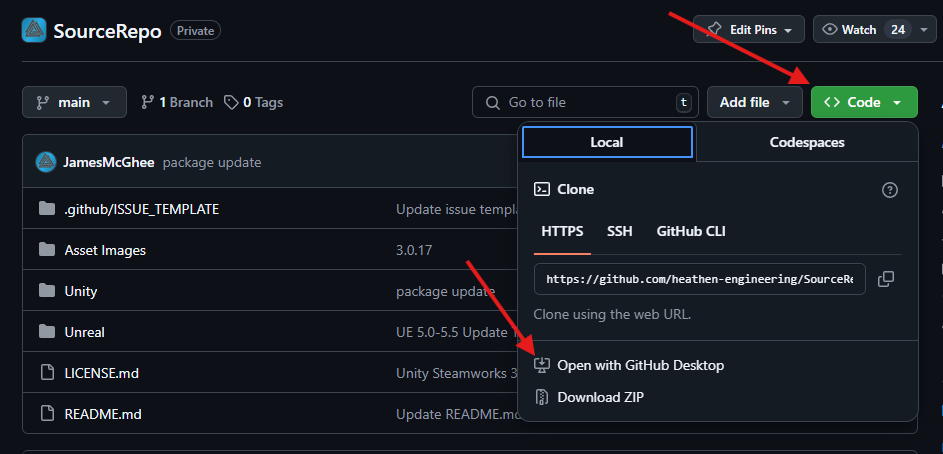
We strongly recommend you clone the repository to your local disk. The simplest way to do this is to use a Git client of your choice (the git command line, or a GUI client such as Fork or GitKraken). Once you have one installed, you can easily clone any repository to your local disk.
Within the repository you will find a folder for each of the supported engines.
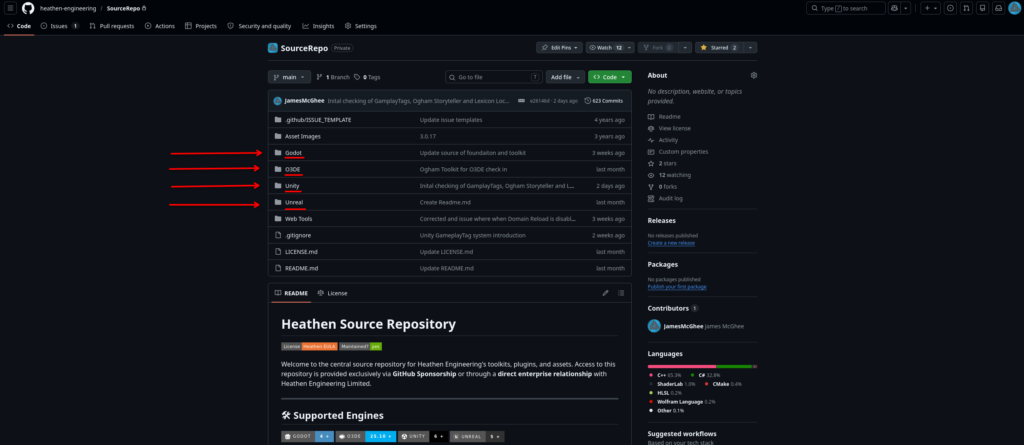
Within each engine folder you will find engine specific instructions on how to find and install the plugins for your engine