A NetRecord is data. To show it in the world, bind it to a game object with components. There is no property binding system: scripts read and write fields through a bus using field handles.
Net Record Access #
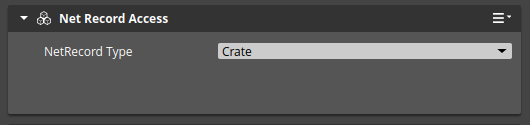
Add Component, Netcode, Net Record Access to a prefab and choose its NetRecord Type. The entity then represents a NetRecord of that type. It raises OnNetworkSpawn, OnNetworkDespawn, OnOwnerChanged and OnFieldChanged, and scripts use its request bus to read and write fields.
Net Transform #
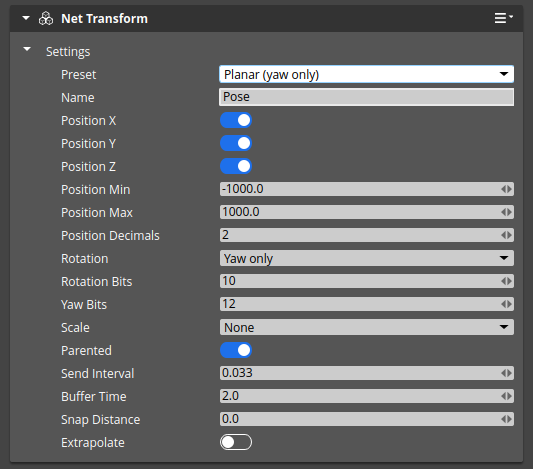
Net Transform syncs position, rotation and scale. Its settings include a preset, the axes, position range and decimals, rotation precision, a send interval, a buffer multiplier, a snap distance and extrapolation. The fields it uses must exist on the type, so use “Add a pose…” on the Types page. If they do not match, the gem logs the name of the missing field.
Call NetTransformRequestBus.Event.Teleport(entityId) before you teleport an object so it is not smoothed across the jump, and SetControlled(entityId, true) when your game predicts the object itself.
Net Spawner #
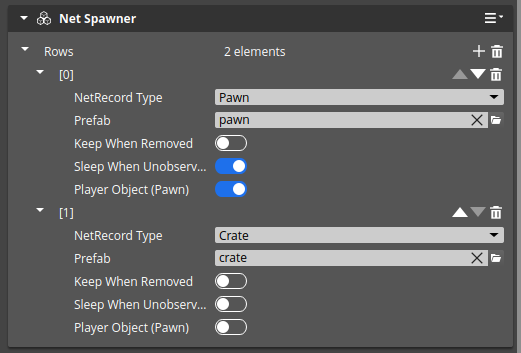
Put a Net Spawner on a level entity and give it rows that pair a NetRecord type with a prefab. Every peer then spawns the prefab when a NetRecord of that type appears, and removes it when the record goes. A row can keep the object when the record is removed, deactivate it when it is unobserved, or mark the prefab as the player object.
Putting it together #
- Define a
Cratetype with the fields you need and a pose. - Make a Crate prefab with Net Record Access (type
Crate) and Net Transform. - Add a Net Spawner to the level with a row
Crateto the Crate prefab. - On the Any Server, create a record of type
Crate. Every peer spawns the prefab.
local rec = NetcodeRequestBus.Broadcast.CreateRecord("Crate", -2) -- -2 is the Any ServerNext: Sessions.